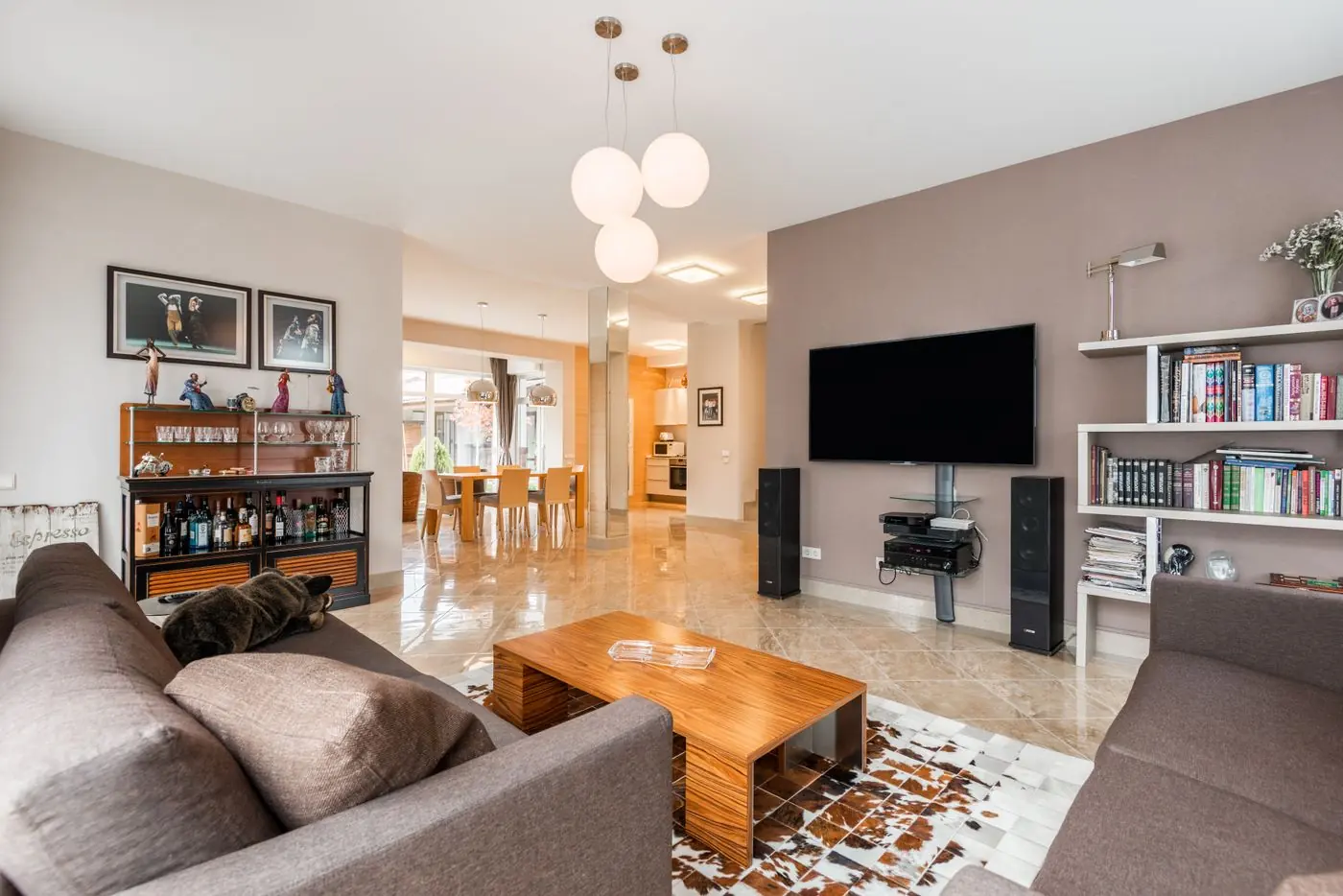
TV mounting & installation. A better view at home.
1TechSupport helps you plan a TV mounting and installation project around your screen, wall, and seating. Compare fixed, tilting, full-motion, ceiling, and mantel mounts, then send a residential inquiry so we can review suitability, coverage, and scope before confirming next steps.
An inquiry is a starting point, not an appointment. Coverage, suitability, scope, price, and availability are confirmed after review.
Room first. Hardware second.Comfort, clearance, and compatibility.
Five ways to position a screen
Choose for the view you live with.
Start with where you sit and what needs to move. The wall, TV, and manufacturer specifications help determine what is suitable.
Mount styleMovementOften considered forKeep in mind
Fixed TV mounts
Fixed
Movement
Stationary, close to the wall
Often considered for
A main seating position facing the screenA fixed mount holds the TV in one position with a low wall profile. It suits a room where you watch straight on and can place the screen at a comfortable viewing height.
Keep in mind
It cannot swivel toward another seat. Check cable access and the clearance required by the TV and mount manufacturers.
Tilting TV mounts
Tilting
Movement
Angles the screen up or down
Often considered for
A screen that needs a modest angle adjustmentA tilting mount lets you adjust the vertical viewing angle without a long extending arm. It can help with reflections and a screen positioned somewhat above your seated eye level.
Keep in mind
Tilting is not the same as lowering the screen. Side-to-side movement and tilt limits depend on the mount.
Full-motion TV mounts
Full-motion
Movement
Extends, swivels, and usually tilts
Often considered for
Multiple viewing positions or a corner layoutA full-motion or articulating mount brings the TV away from the wall and turns it toward different seats. It can also make rear connections easier to reach.
Keep in mind
The wall structure, arm reach, screen width, weight rating, and cable slack all need review. Swivel range depends on the TV as well as the mount.
Ceiling TV mounts
Ceiling
Movement
Suspends the TV; adjustment varies
Often considered for
A layout without a suitable mounting wallA ceiling mount suspends the screen from an approved overhead structure. Some designs offer tilt or rotation, but each needs a suitable attachment point and a planned cable route.
Keep in mind
This is a specialty option, subject to a structural and access assessment. A finished ceiling surface alone is not a confirmed mounting point.
Mantel and pull-down TV mounts
Mantel / pull-down
Movement
Lowers the screen on a purpose-built mechanism
Often considered for
Some above-mantel layouts after a safety reviewA purpose-built pull-down mount can move a TV down from an elevated resting position. It needs enough clearance for the mantel, screen, soundbar, and moving mechanism.
Keep in mind
A pull-down mount does not make a hot fireplace safe for a TV. Heat, ventilation, manufacturer instructions, wall construction, and clearance must be checked first.
Ceiling and mantel / pull-down mounts are shown as options to understand—not as confirmation that a particular home, structure, or project is suitable.
Before the bracket goes up
A useful project review starts with the details.
A few specifics help make the conversation practical. If you don’t know an answer yet, say so—there’s no need to guess.
The TV: brand and model, screen size, and weight without its stand if available.
The wall: material if known, any visible obstacles, and whether the location is above a fireplace.
The viewing: usual seats, desired angle, glare, and the height that feels comfortable.
The setup: mount model if owned, soundbar or other devices, cable preferences, access, and landlord approval if relevant.
Fit is more than screen size
Check the TV’s VESA hole spacing, weight, exact model guidance, the mount’s supported range, and required hardware. A large-screen label alone can’t confirm compatibility.
Structure and safety come first
A finished surface is not proof of support. Brick, stone, metal studs, specialty structures, and fireplace locations need individual review. Some locations may not be suitable.
Cable plans need a clear scope
Ask whether surface covers or an appropriate in-wall route can be assessed. Ordinary TV power cords and extension cords must not run inside walls. New outlets or electrical changes require a properly licensed professional and applicable-code review; do not assume this work is included.
Straight answers, before you ask
TV installation questions.
Still unsure what your room needs? Share what you know and ask us to help scope the next step.
Which TV mount should I choose: fixed, tilting, or full-motion?
Choose a fixed mount for a consistent straight-on view, a tilting mount for vertical angle adjustment, or full-motion for several viewing positions. The final choice also depends on the TV's mounting pattern and weight, wall construction, cable access, and the mount manufacturer's instructions.
What is VESA, and does screen size determine mount compatibility?
VESA describes the spacing of the mounting holes on the back of the TV, usually in millimeters. Screen size alone is not enough: check the exact model's VESA pattern, weight without the stand, required hardware, and the mount's supported specifications.
Can I use a TV mount I already own?
Include the mount brand and model with your inquiry. Its compatibility, condition, rated capacity, instructions, and mounting hardware need review before it can be approved for the installation.
Can a TV be mounted on drywall, brick, stone, or above a fireplace?
Suitability depends on the supporting structure, surface, TV, mount, and safe fastening method. Brick, stone, metal studs, and fireplace locations require individual assessment; a decorative surface does not establish structural support. Some locations may not be suitable.
How high should my TV be mounted?
Start with your normal seating position and a comfortable sightline toward the screen, then account for screen size, furniture, reflections, and cable access. There is no single height that fits every room. Above-fireplace locations also need a separate heat and clearance review.
Can you hide the TV cables?
Ask about surface cable covers and whether an appropriate in-wall route can be assessed. In-wall work is not automatically included. Ordinary TV power cords and extension cords must not be routed through walls; new electrical outlets or changes require a properly licensed professional and applicable-code review.
Can I include a soundbar, streaming device, or Frame-style TV?
Describe each device and include its model. Soundbar placement, streaming connections, specialty TV brackets, ventilation, and any external connection box need to be included in the proposed scope rather than assumed to be part of a basic mount.
How much does TV mounting cost, and is the mount included?
Request a project-specific quote. TV size and weight, mount type, wall construction, access, specialty surfaces, cable work, and additional devices affect scope. Mount supply, hardware, any electrical work, price, and availability must be confirmed before work is agreed.
What should I send with my TV installation inquiry?
Send your city and state or postal code, TV brand and model, screen size, wall material if known, mount details if you have one, and the devices you want connected. Mention fireplace placement, cable concealment, access restrictions, and any landlord approval needed.
Does sending the form book an installation?
No. The 1TechSupport form starts a residential inquiry. Our team reviews service-area coverage, suitability, scope, price, and availability before confirming any next steps. No appointment or same-day service is guaranteed by submitting the form.
Have a room in mind?
Start with a few details. We’ll review before confirming next steps.
Include your approximate location and what you know about the TV, wall, and mount. Price, coverage, availability, and project scope are confirmed after inquiry.